Mwodeora
The links you sent yourself and forgot — found again
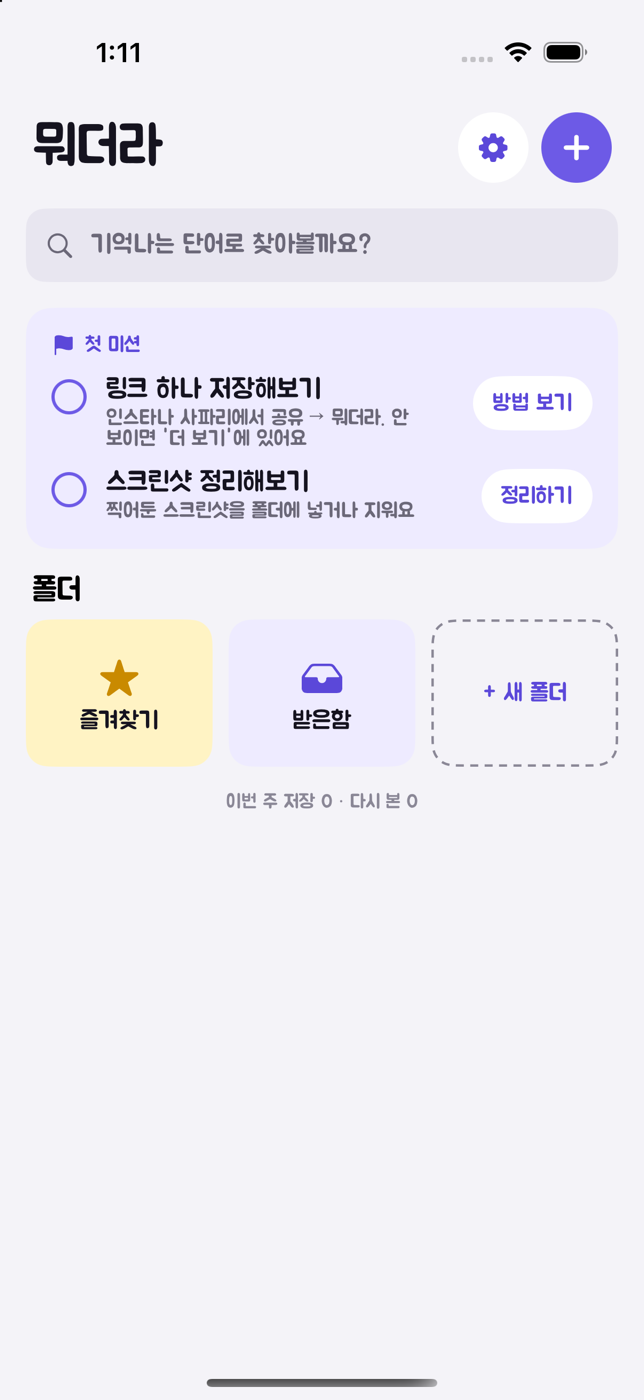
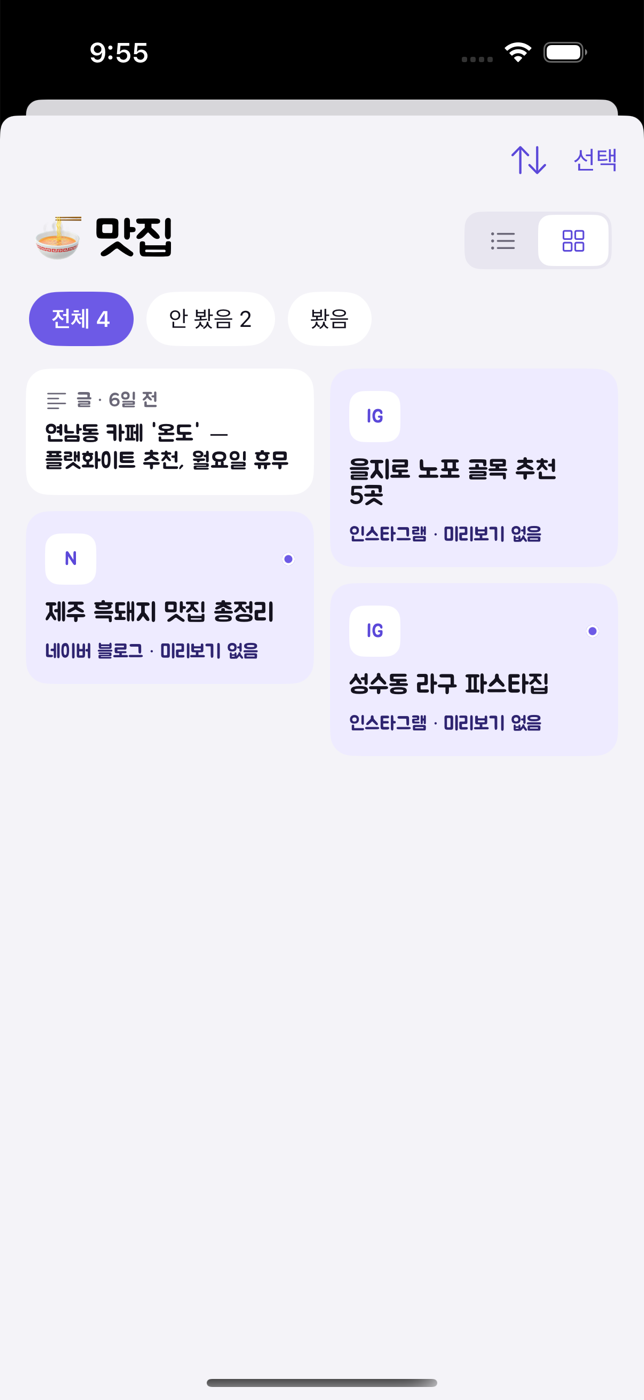
Save links from Instagram, YouTube and Safari into folders with one share, and tidy your screenshots alongside. Import links piled up in your KakaoTalk self-chat at once, and get a weekly nudge to revisit what you haven't seen. Everything stays on your device and your iCloud; folder suggestions use text only.
Preview
Preview
Select Stage
Features
-
STAGE 01
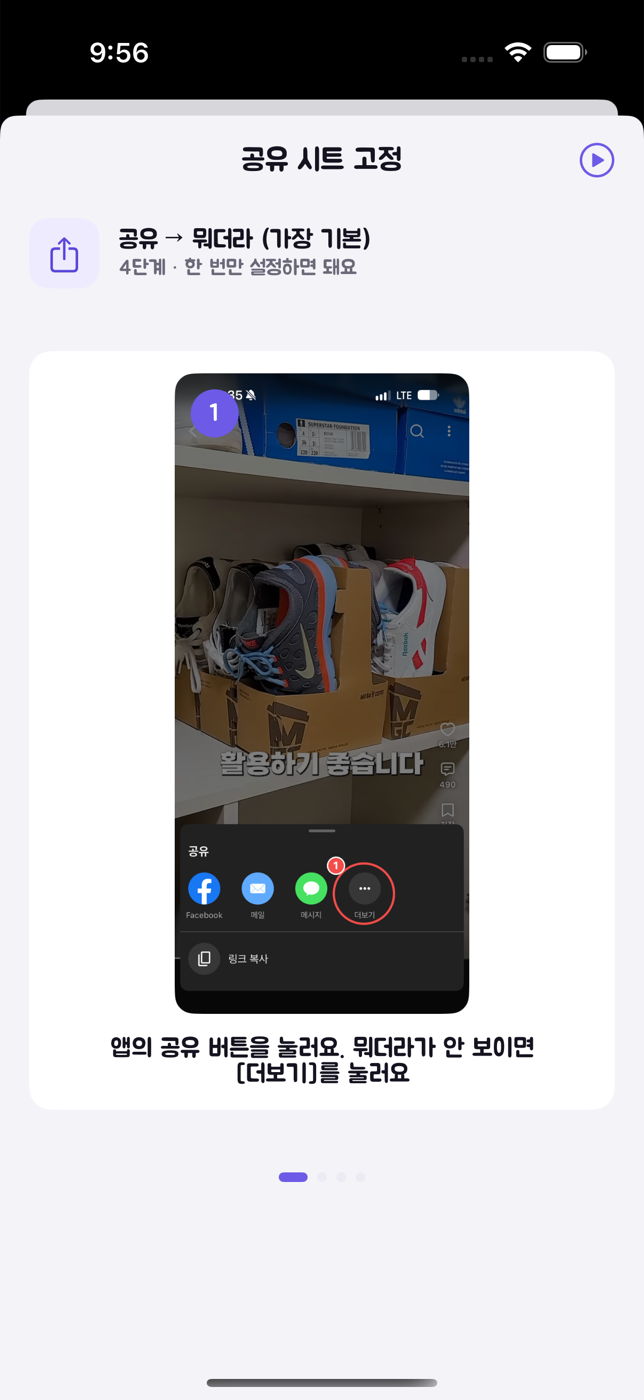
One share, straight into a folder
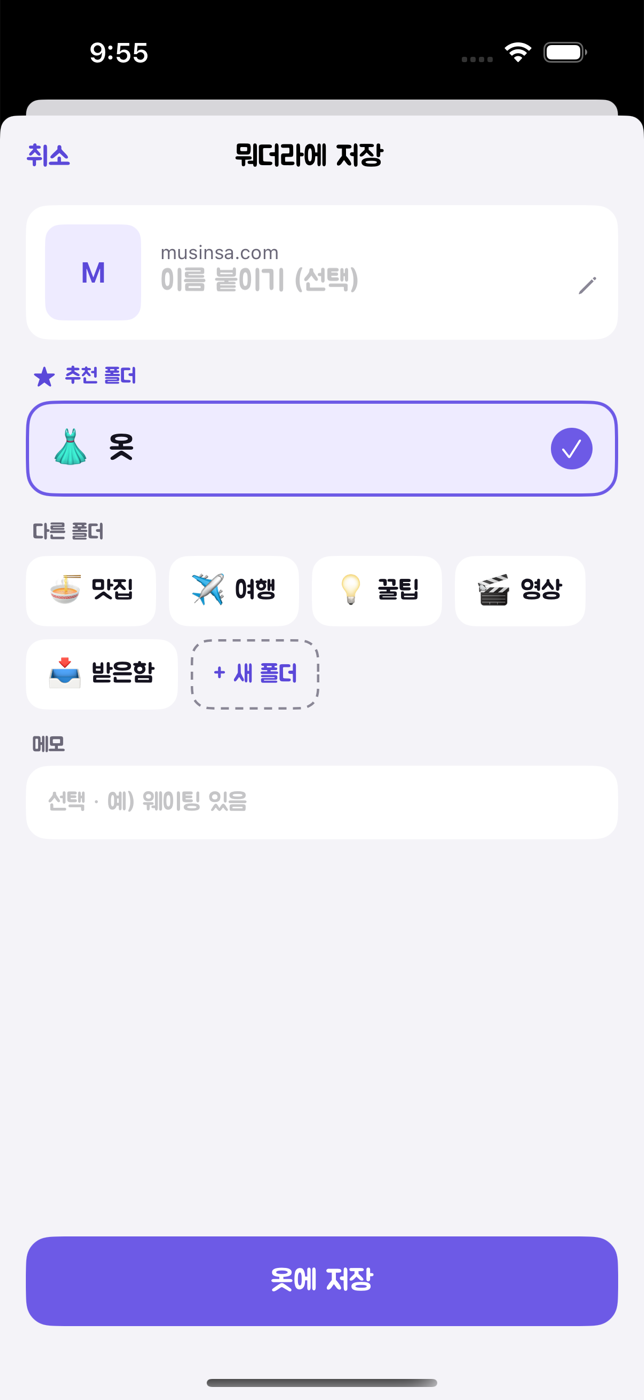
Tap Share → Mwodeora and the suggested folder is already selected. If it's right, just save. Links without previews (like Instagram) can be named and saved too.
-
STAGE 02
Screenshots in the same folders
Go through new screenshots one by one — file or delete. Text inside captures is read on-device, so addresses and phone numbers open directly, and everything is searchable.
-
STAGE 03
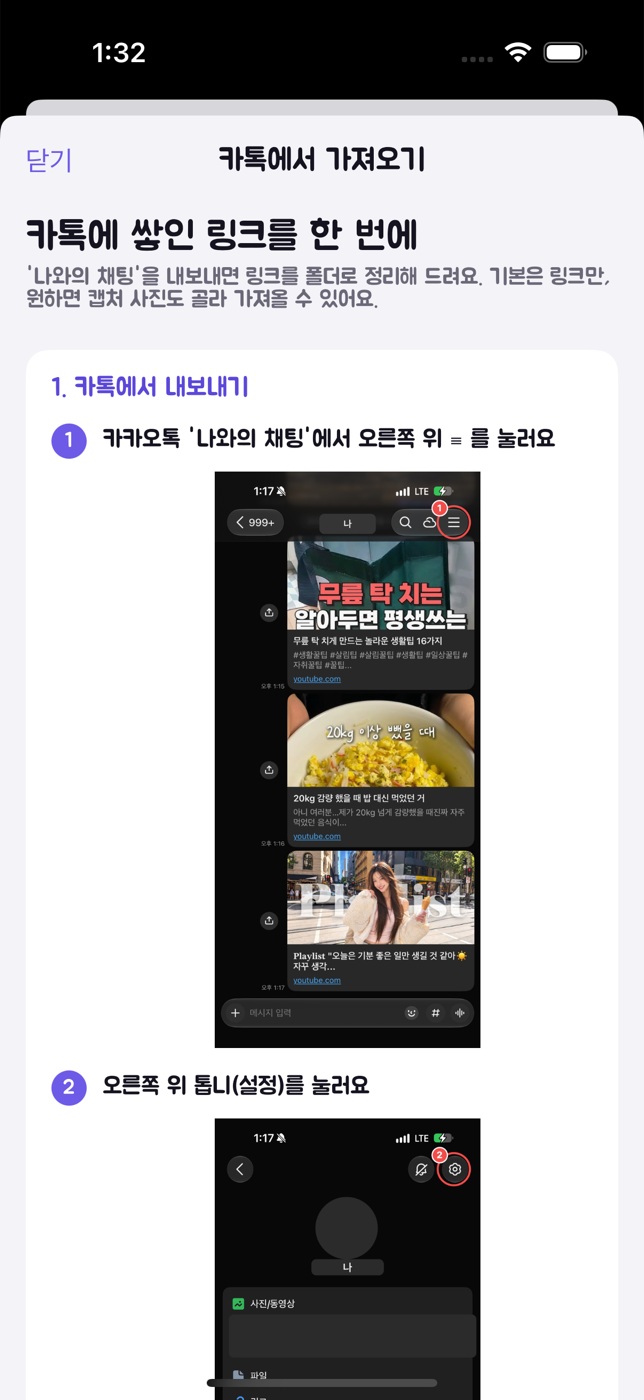
Bring over your KakaoTalk links at once
Export your self-chat, pick a period, and import just the links or just the screenshot-like photos. Imported items are archived so they never nag you.
-
STAGE 04
A weekly nudge, nothing more
One reminder on Sunday evening for what you haven't seen, and the home screen surfaces the oldest unseen item one at a time. No daily pings.
-
STAGE 05
Your data stays yours
No sign-up, no ads. Everything lives on your device and your iCloud. Folder suggestions send only titles and captured text — never images — and nothing is stored. Export to CSV anytime.